 AudioHeadphones, speakers and keyboards that sound as good as they look.2 on saleShop Audio
 WearablesWatches, bands and trainers made for every day.Shop Wearables
 New inDesk SetupBuild a desk you actually enjoy sitting at.2 on saleShop Desk Setup
 TravelCarry-on friendly kit for weekends away and long trips.1 on saleShop Travel
 HomeLamps, bottles and little things that make a home work better.1 on saleShop Home
 Gift IdeasThoughtful picks that are easy to wrap.2 on saleShop Gift Ideas
Shop by category















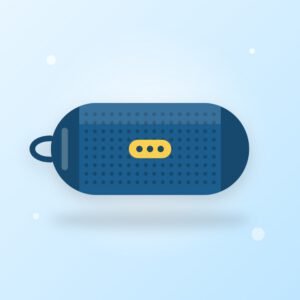

 Desk SetupBuild a desk you actually enjoy sitting at.2 on saleSee the board



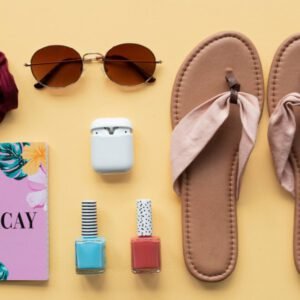
 TravelCarry-on friendly kit for weekends away and long trips.1 on saleSee the board

 Gift IdeasThoughtful picks that are easy to wrap.2 on saleSee the boardAudioHeadphones, speakers and keyboards that sound as good as they…2 on saleSee the boardAutumn editThe Gift ShopThoughtful picks that are easy to wrap.2 on saleShop nowAudioHeadphones, speakers and keyboards that sound as good as they look.2 on saleShop nowTravelCarry-on friendly kit for weekends away and long trips.1 on saleShop nowWearablesWatches, bands and trainers made for every day.Shop nowDesk SetupBuild a desk you actually enjoy sitting at.2 on saleShop now
Explore the collections
 AbstractColor, texture and shape from painters working in northern New Mexico.1 on saleShop
 AccessoriesStraw hats, woven totes and scarves to finish the look.1 on saleShop
 Activity KitsStory-led craft and play kits for rainy afternoons.Shop
 Add-onsFilters, beans and small extras that keep every brew easy.Shop
 ApparelFleece, rain shells and merino layers built for changing mountain weather.Shop
 ApparelHeavyweight hoodies, tees and caps cut to wear with your kicks.Shop
 ApparelWindproof, warm and reflective layers made for Minnesota weather.1 on saleShopAudioHeadphones, speakers and keyboards that sound as good as they look.2 on saleShop